 Gitnotate
Source
Gitnotate
Source
Comment on words,
not just lines.
Sub-line precision for GitHub PR reviews. Select any phrase in a Markdown file and leave your feedback exactly where it matters.
Precision without overhead
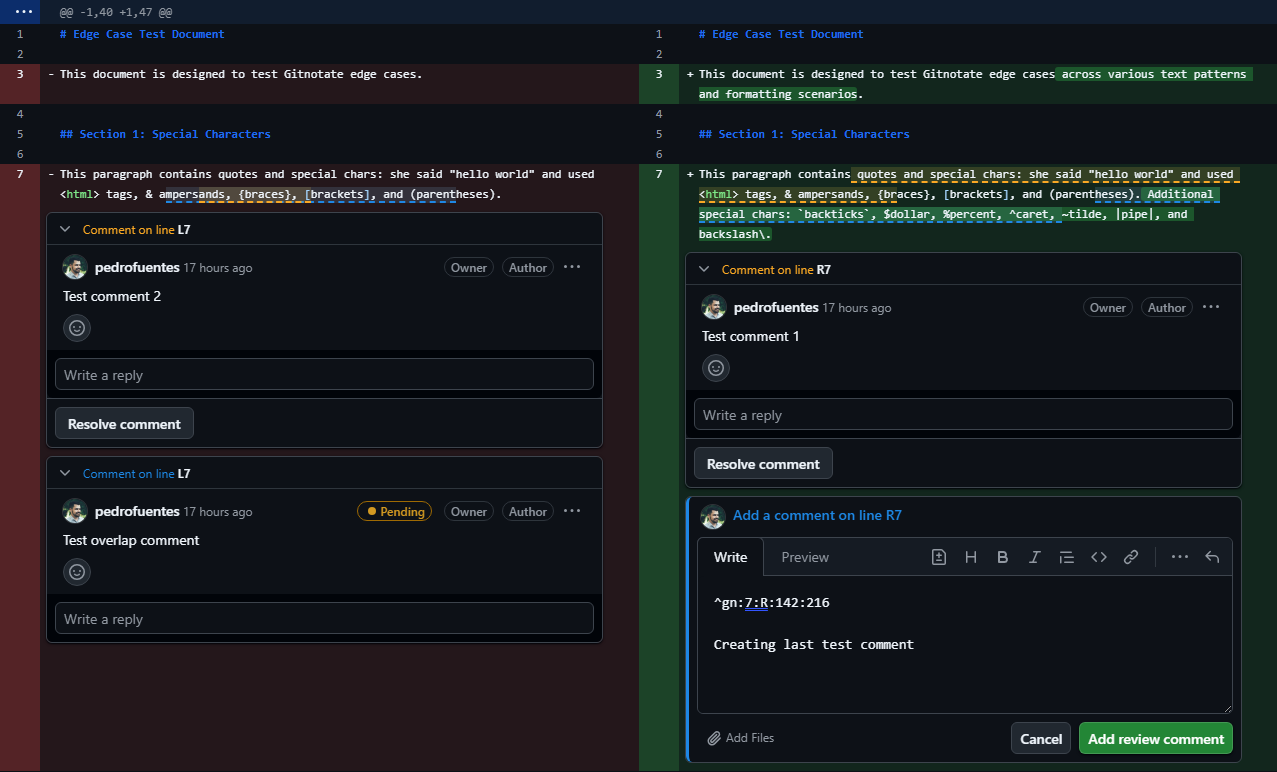
A tiny metadata tag in your PR comment anchors feedback to exact character ranges. No extra files, no infrastructure, no friction.
Tiny footprint
A small tag at the top of your PR comment — hidden by the extension, only visible to reviewers who don't have it installed. Your source files are never touched.
Works for everyone
Standard GitHub PR comments. Threading, @mentions, reactions, notifications — all native.
No setup
Install and go. No tokens, no config, no accounts to create. Works on any repository.
Browser & editor
Chrome, Edge, and VS Code. Sub-line commenting wherever you do your reviews.
Privacy-first zero telemetry
No analytics, no tracking, no network requests. Your data stays on your machine.
Open source MIT
Every line auditable. Fork it, extend it, trust it.
- Open the Gitnotate page on VS Code Marketplace, or search "Gitnotate" in the Extensions view (
Ctrl+Shift+X) - Click Install
- Open a repo with an active PR — sign in to GitHub when prompted
- Select text in a Markdown file → right-click → Gitnotate: Add Comment
- Visit the Gitnotate page on Chrome Web Store
- Click Add to Chrome
- Visit any PR → click "Enable" on the opt-in banner
- Visit the Gitnotate page on Edge Add-ons
- Click Get to install
- Visit any PR → click "Enable" on the opt-in banner
Edge can also install from the Chrome Web Store.
- Download
gitnotate-v0.1.0.zipfrom the latest release - Extract to a folder
- Open
chrome://extensionsoredge://extensions - Enable Developer mode
- Click Load unpacked → select the extracted folder
To update: download the new zip, extract to the same folder, click reload ↻.
- Clone:
git clone https://github.com/pedrofuentes/gitnotate.git - Install:
pnpm install - Build:
pnpm build - Load unpacked from
packages/browser-extension/dist/